






Landed with no data: how to buy and install a travel eSIM after you arrive
 One eSIM for 33 European countries
Several countries on one trip? Same eSIM, same data, no swapping lines at the border.
Black Friday −25 % Ends in 12d 13:12:57Crossed-out price: the lowest in the 30 days before the offer.
Choose your data
For one to two weeks of maps, messaging and the odd video.
Buy up to 180 days before you fly: the plan only starts when the eSIM connects at your destination.
Write the email where we should send the QR code.
We send the QR code and your receipt here. No spam.
QR in your inbox in minutes · If it does not connect, we fix it · Secure payment with Stripe
Will it work on my phone?
On iPhone: Settings → General → About, and scroll to EID. If there is an EID, your phone takes eSIMs. Every iPhone from the XS (2018) onwards does.
On Android: Settings → About phone → Status, and look for EID. If there is an EID, your phone takes eSIMs. Most Galaxy S20, Pixel 3 and later do.
It also has to be carrier-unlocked. If you bought it outright or your contract is over, it almost certainly is.
Not sure about your model? Ask us before you pay and we will tell you — a person answers within 24 hours.
How it works
- 1Choose and payCard, Apple Pay or Google Pay. No account.
- 2Install it at homeThe QR arrives by email. Scan it on wifi in a minute.
- 3Connect when you landTurn on data roaming for the eSIM and you are online.
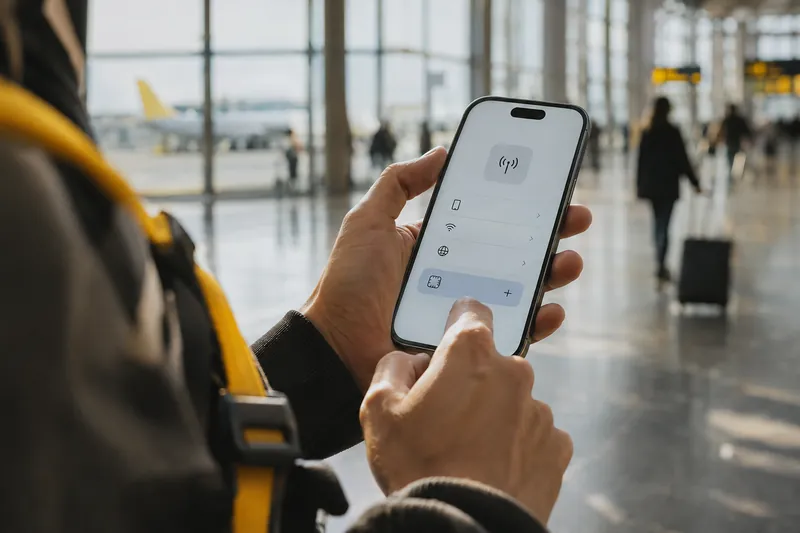
You switch off airplane mode and nothing loads: your plan does not cover this country, or roaming is too expensive to leave on. You do not need to find a phone shop. A travel eSIM can be bought and installed from the airport in about ten minutes, as long as you can get online once to buy it and receive the QR code.
Step 1: get online once
Buying the eSIM needs a connection for a few minutes, not a working phone plan. Most international airports have free Wi-Fi; some ask for an email address and a few send a code by SMS. Your usual SIM can still receive texts abroad, and incoming SMS is usually free on roaming, so keep that line switched on.
No airport Wi-Fi? Hotel, café and train-station Wi-Fi work just as well, and so does a travel companion sharing their hotspot for five minutes. If you have to switch on roaming on your home line to buy, do it for those minutes only and turn it off again; the guide on finding Wi-Fi when travelling has more options.
Step 2: buy the eSIM for the country you are in
Pick the pack for the country you are standing in, or a regional one if the trip carries on across borders, and pay. With Snoozim the QR code arrives by email within seconds, together with the details to install it by hand.
Check two things first: your phone has to support eSIM and be unlocked, which you can confirm in the list of compatible phones.
Step 3: install it on the same phone
The QR is meant to be scanned with the phone's camera, which is awkward when the email is open on that same phone. Three ways round it: open the email on a laptop or a travel partner's phone and scan it from there; on many phones, tap and hold the QR image to install it; or use the manual option in the eSIM settings and paste the SM-DP+ address and activation code from the email. The guide on installing an eSIM without scanning the QR code walks through each phone.
Installation takes a minute or two and needs the Wi-Fi from step 1, so finish it before you leave the airport.
Step 4: switch on the eSIM line
- Set the eSIM as the line for mobile data.
- Turn on data roaming for the eSIM line. It is a foreign line on a local network, so without roaming it will not connect.
- Keep your home line on for calls and bank texts, with data roaming off on that line so it does not run up charges.
- Wait a minute for the phone to pick up the network. The plan's validity starts with this first connection.
If it still says No Service, the guide on fixing an eSIM with no service covers the usual causes, from a missed roaming switch to a phone that needs a restart.
Next time: install it before you fly
Buying on arrival works, but installing at home on your own Wi-Fi is calmer: the plan only starts when it first connects at your destination, so you can buy days ahead and land already online. The before-you-fly checklist lists what to do the night before.
Travelling later?
We remind you before your trip
Tell us the day you leave. We email you a week before and the day before with the steps to install the eSIM on Wi-Fi at home. Nothing else.
We only write about this trip, and every email has a one-click unsubscribe. Privacy policy
Can I buy a travel eSIM after I have landed?
Yes. You only need a few minutes of Wi-Fi to buy it and receive the QR code by email; the airport, a hotel or a café is enough.
How do I scan the QR code if it is on my own phone?
Open the email on another screen and scan it from there, tap and hold the QR image if your phone allows it, or enter the SM-DP+ address and activation code by hand in the eSIM settings.
Does the plan start as soon as I buy it?
No. It starts when the eSIM first connects to a network in the destination, so buying a few days early costs you nothing.
Will I lose my phone number?
No. A travel eSIM is data only and your usual SIM stays in the phone, so calls and texts to your number still arrive.
Get your eSIM before you fly: the QR arrives by email in minutes and the plan only starts when you connect at your destination.
See eSIMs by country